How to Track and Request Certified True Copies from LTO
By Mhariella Santos · Lead Writer & Editor
On this page
When buying a used vehicle, replacing lost documents, verifying vehicle ownership, or confirming driver's license records, it is imperative to understand the process for obtaining a Certified True Copy (CTC) from the LTO (Land Transportation Office) in the Philippines.
Next, this guide will explain what a Certified True Copy is, followed by the steps to request and track it. You will also learn about requirements, fees, and online tools that help simplify the process.
What Is a Certified True Copy (CTC) from the LTO?
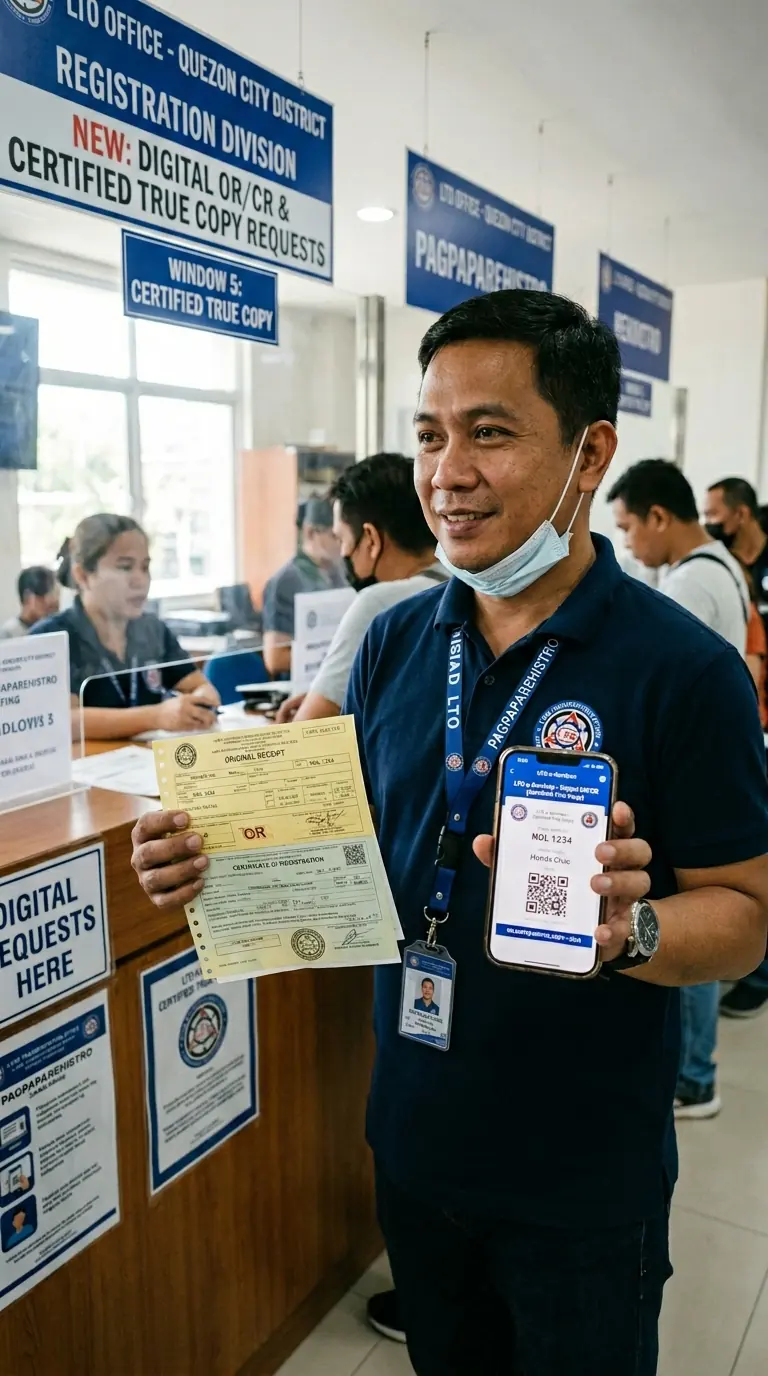
A Certified True Copy (CTC) is an official, authenticated copy of an LTO document, such as a Certificate of Registration (CR) or a Driver's License Certification, that the LTO certifies as matching the record on file in their system. Unlike a plain photocopy, a CTC carries the LTO's official stamp and signature, making it legally acceptable for transactions such as vehicle ownership transfers, court proceedings, bank loans, and insurance claims.
Why a Certified True Copy Is Different From a Plain Photocopy
While some enforcers accept photocopies, the LTO and police require original or certified copies. Photocopies may lead to transaction rejection. A CTC has official legal weight because it's certified by the LTO.
What LTO Documents Can Be Requested as a Certified True Copy?
The LTO issues Certified True Copies of the following documents:
- Certificate of Registration (CR): the official paper proving your vehicle is registered under your name
- Official Receipt (OR): proof that vehicle registration fees have been paid
- Driver's License Certification: an official certification of your driver's license record issued by the LTO
- No Apprehension Certificate: a document confirming you have no outstanding traffic violations on record
- Motor Vehicle Registration Records: records from the LTO's system showing ownership history and encumbrance details
Why You May Need to Request Certified True Copies from the LTO
There are several situations where you may need to get a Certified True Copy (CTC) from the LTO. It is usually required when you need official proof of vehicle or driver records.
Checking Vehicle Ownership Before Buying a Used Car
If you are buying a second-hand vehicle, it is very important to confirm the real owner.
A Certified True Copy of the Certificate of Registration (CR) helps you check the true ownership history. If you are the current owner or have a Special Power of Attorney (SPA), you can request this document.
This protects you from buying stolen or problematic cars. Once the papers check out, our LTO transfer of ownership guide walks you through putting the vehicle in your name.
Lost or Damaged OR/CR Documents
If your Official Receipt (OR) or Certificate of Registration (CR) is lost or damaged, you cannot just print a copy yourself.
Request a replacement at the LTO. A Certified True Copy is valid while you process a new document or for legal use.
Checking if a Vehicle Has a Loan (Encumbrance)
Some vehicles are still under loan, known as an encumbrance.
A Certified True Copy of the CR will show if the vehicle is still financed by a bank or lender. This is important because a vehicle cannot be legally sold until the loan is fully paid and the LTO has cleared it.
Confirming Your Driver's License Record
A Certified True Copy of your license record is required for work, travel, or legal purposes.
This document proves that:
- You have a valid driver's license
- Your license record is officially registered with the LTO
- Your driving status is legitimate and in good standing
How to Track LTO Documents Online (Official Tools You Should Know)
Before requesting a Certified True Copy (CTC), it is a good idea to first check your LTO documents online. This helps you confirm whether your records are correct and up to date.
LTO OR/CR Web Verification Facility
The LTO OR/CR Web Verification Facility lets you check if your Official Receipt (OR) and Certificate of Registration (CR) are valid and properly recorded in the LTO system.
You can use it to confirm whether your document is genuine and whether the details match LTO records.
How to use it:
- Go to the official website: ltoqr.onlinelto.ph
- Accept the Terms of Use and Privacy Notice
- Enter your OR number or CR number
- Click Submit to view your record
Important: Only newer LTO records can be checked online. Older documents may not appear in the system.
Track Your License or Plate Status via the LTMS Portal
You can also track your driver's license or vehicle plate status using the LTMS Portal. Just log in to portal.lto.gov.ph, then check your account dashboard for updates. New to the portal? Start with our LTO Portal login guide.
You can track:
- Driver's license processing status
- Vehicle plate availability
- Registration renewal status
- Payment and transaction records
For a full walkthrough of plate and license tracking, see our LTO Tracker guide.
LTO SMS Service for Quick Vehicle Check
The LTO has an SMS service to quickly check basic vehicle details.
You can use it to see:
- Vehicle model and color
- Last registration date
- LTO alerts or flags (if any)
Note: This service does not show the owner's name for privacy reasons. For the correct SMS format and number, check with your nearest LTO office, as it may vary by location.
How to Request a Certified True Copy of the Certificate of Registration (CR) from the LTO
This is the most requested CTC, often used by buyers, sellers, and owners dealing with loss or damage.
Who Can Request a CTC of the CR?
Only the following may request a CTC of the Certificate of Registration:
- The registered owner of the vehicle
- An authorized representative holding a Special Power of Attorney (SPA) signed by the owner
- A lawyer or legal representative for court or legal proceedings
Requirements for Requesting a CTC of the CR
Prepare the following documents before going to the LTO:
- Valid government-issued ID (original and photocopy; two IDs preferred)
- Original OR (the most recent Official Receipt of the vehicle's registration)
- Affidavit of Loss (if the original CR has been lost or damaged; this must be notarized)
- Special Power of Attorney (SPA) if you are an authorized representative, not the registered owner
- Photocopy of the CR (if the original is not lost and you are requesting certification of an existing document)
Step-by-Step: How to Request a CTC of the CR at the LTO Office
Request a Certified True Copy of your Certificate of Registration by following these steps:
Step 1: Go to the LTO District Office where your vehicle was registered. Verification can be done at any online LTO office. Private requests must go through the Office of the LTO Assistant Secretary for approval.
Step 2: Proceed to the counter and present your documents for evaluation and fee computation.
Step 3: If required, submit the vehicle for Motor Vehicle Inspection for ownership verification.
Step 4: Go to the cashier and pay the required fees. You will receive an Official Receipt as proof of payment.
Step 5: Wait at the Releasing Counter, then receive your Certified True Copy and other requested documents.
Fees for CTC of CR and Duplicate OR/CR
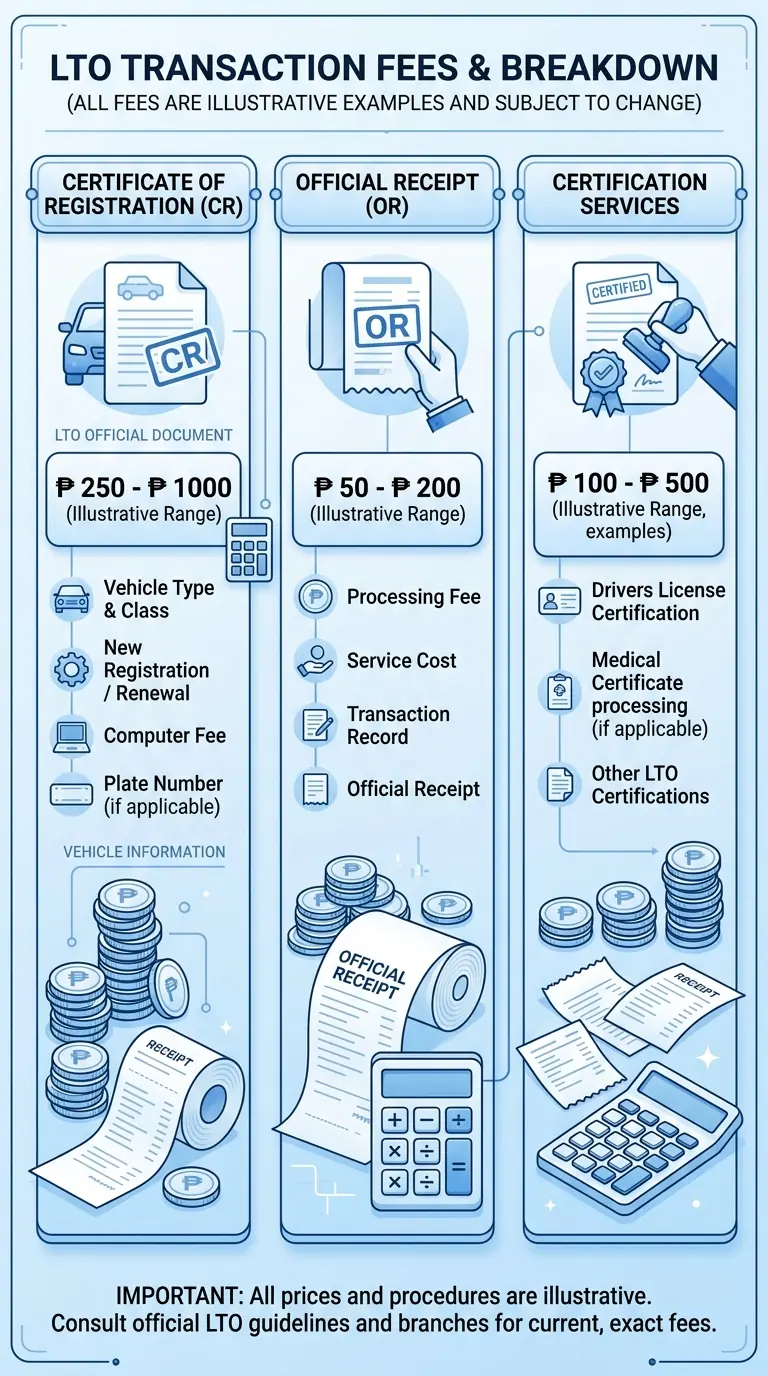
- Duplicate/Replacement of OR or CR: PHP 30.00 per document (for loss or damage)
- Replacement (with Affidavit of Loss): about PHP 300.00, plus an Affidavit of Loss and two valid IDs
- Additional fees may apply if a motor vehicle inspection is required.
Tip: Confirm the latest fees at your LTO branch, as fee schedules may change.
How to Request a Driver's License Certification from the LTO
For an official driver's license certification, apply at the License Section of the LTO Central Office for personal, employment, or legal needs. For everything else about licensing — applications, renewals, and license types — see our LTO driver's license guide.
Where to Apply for a Driver's License Certification
Apply at the License Section, LTO Central Office, East Avenue, Quezon City. This office processes driver's license certifications.
Requirements for a Driver's License Certification
To request a certification of your driver's license, prepare the following:
- Copy of your driver's license (front and back)
- Authorization letter signed by you (if sending a representative to apply on your behalf)
- Copy of a valid government-issued ID of your representative
- Fee of PHP 100.00 for the certification
If applying in person, bring your valid ID and original license.
Step-by-Step: How to Request a Driver's License Certification
Step 1: Prepare all required documents.
Step 2: Go to the License Section of the LTO Central Office, or send a representative with your authorization letter and a copy of your license.
Step 3: Submit your documents to the attending LTO personnel.
Step 4: Pay the certification fee of PHP 100.00 at the cashier.
Step 5: Wait for the certification to be processed and issued. The document will officially confirm your driver's license record on file with the LTO.
How to Get a No Apprehension Certificate from the LTO Online
The No Apprehension Certificate is an official LTO document confirming that you have no outstanding traffic violations under your name in the LTMS system. This is frequently required for overseas employment, visa applications, or as proof of a clean driving record.
Step-by-Step: How to Apply for a No Apprehension Certificate via the LTMS Portal
The LTO now allows online application for this certificate through the LTMS Portal. Here is how:
Step 1: Log in to your LTMS account at portal.lto.gov.ph. Locked out? Here's how to retrieve your LTO Portal account.
Step 2: In your LTMS dashboard, navigate to Documents > No Apprehension > Apply Certificate.
Step 3: Input the required details as prompted by the system.
Step 4: Pay through the LTO's online payment partners (such as GCash, Maya, or other accredited channels).
Step 5: Once payment is successful, your certificate will be sent to your registered email address. It is also accessible in the Documents page under "No Apprehension." Print the file as needed for your transaction.
How to Trace Motor Vehicle Ownership History via the LTO
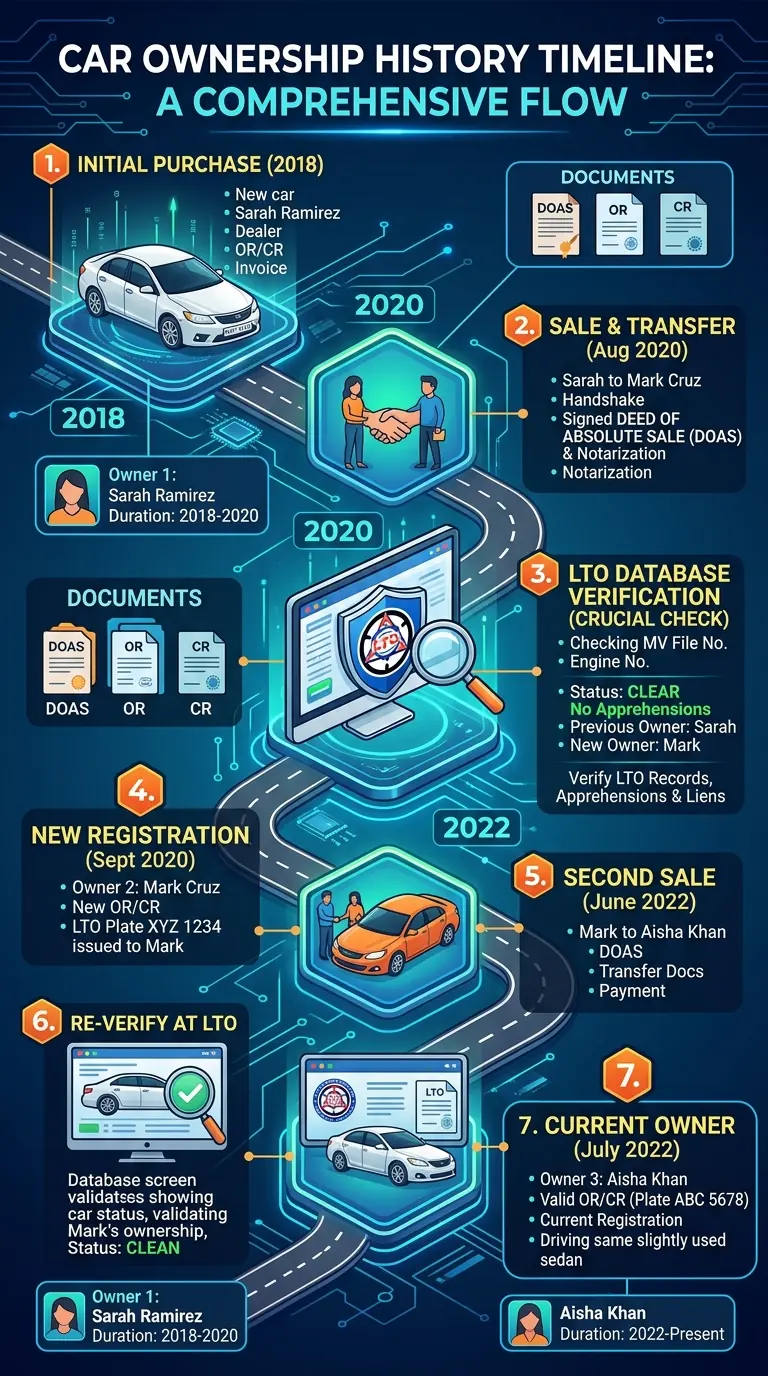
If you are purchasing a used vehicle or are involved in a legal dispute over vehicle ownership, tracing a motor vehicle's complete ownership history is essential. This requires a combination of verification at the LTO and cross-referencing with other government agencies.
Step 1: Secure a Copy of the Current CR and OR
Start by obtaining the current Certificate of Registration and Official Receipt from the seller or current owner. These documents contain the plate number, engine number, chassis number, and the registered owner's name — all key identifiers in the LTO system.
Step 2: Verify at the LTO District Office
Visit any LTO District Office and request a verification by providing the Plate Number or MV File Number. If you are the owner or have an SPA from the owner, request a Certified True Copy of the original CR on file. This will often reveal previous ownership details if the current CR results from a recent transfer.
Documents to bring for verification:
- Valid government-issued ID
- Plate Number or MV File Number (found on the CR)
- SPA, if you are not the registered owner
Step 3: Request the "Mother File" Location from the LTO
You can request the location of the "Mother File" from the LTO to find out where the vehicle was originally registered. This is important for tracing the complete registration history, especially for vehicles that have changed hands multiple times or have been re-registered across different regions.
Step 4: Check for Vehicle Alarms with the PNP-HPG
While the LTO tracks vehicle registration, the PNP-Highway Patrol Group (PNP-HPG) tracks the legality of the vehicle's movement and status. Visit the PNP-HPG to check whether the vehicle has been flagged as stolen or involved in criminal activity. A Macro-etching Certificate (PNP-HPG Clearance) is required for any transfer of ownership. This process verifies that the engine and chassis numbers have not been tampered with, which would be a violation of the Anti-Carjacking Act.
Step 5: Examine the Complete Chain of Sale
Verify the complete chain of title for the Deeds of Sale from the first owner to the current seller. Every transfer should be documented by a notarized Deed of Absolute Sale, accompanied by photocopies of the parties' government-issued IDs. A gap in the chain of sale is a serious red flag for a potentially stolen or illegally transferred vehicle.
Step 6: Verify Online via the LTO OR/CR Verification Facility
Use the LTO's official OR/CR Web Verification Facility at ltoqr.onlinelto.ph to confirm whether the plate number matches the engine and chassis numbers stored in the LTO database, and whether the document has not been altered or tampered with.
Common Problems When Requesting CTCs from the LTO and How to Solve Them
Sometimes, you may face issues when requesting a Certified True Copy (CTC) from the LTO. Most of these problems have simple solutions.
Vehicle Record Not Found in the LTO System
If your vehicle record does not appear in the online system, it may be because it was registered before the LTO upgraded its database.
In this case, you may need to request a record migration at the original LTO branch where the vehicle was first registered. This will update your record in the current system so it can be accessed online in the future. If your plate status search also comes back empty, see how to fix an LTO plate status "Not Found".
CR Shows a Loan or Mortgage (Encumbrance)
If your Certificate of Registration (CR) shows that the vehicle is still under a loan, it means the vehicle is not fully paid for yet.
You must first:
- Get a Release of Mortgage from the bank
- Update the record at the LTO
Only after this can the vehicle be legally transferred or fully cleared.
Mother File Is in a Different LTO Branch
Some vehicle records are stored in a specific "mother file" branch.
If your record is with another branch, you may need to visit that branch to process your CTC or related transactions. However, if your record is already in the LTMS system, some LTO branches can still assist you.
Processing Delays
Sometimes, CTC requests take longer due to:
- High number of applicants
- System maintenance
- Backlogs in certain regions
Always keep your Official Receipt (OR) as proof that your request is being processed. If delays are too long, follow up directly with your LTO branch.
Important Reminders When Requesting Certified True Copies from the LTO
Use Only Official LTO Websites
Be careful of fake websites or fixers. Only use these official LTO platforms:
- lto.gov.ph: Official LTO website
- portal.lto.gov.ph: LTMS Portal
- ltoqr.onlinelto.ph: OR/CR verification tool
Never share your personal details on unofficial sites or pay unauthorized agents.
Keep Your LTO Documents Safe
Always store your OR, CR, and CTC copies in a safe and dry place inside your vehicle. Think of them as your car's "passport" — they prove you are the legal owner.
Check All Details Before Leaving the LTO
Before leaving the LTO office, carefully check your documents. Even small mistakes (like wrong engine or chassis numbers) can cause big problems later when renewing your registration or transferring ownership. Make sure everything is correct before you go.
Conclusion
Requesting a Certified True Copy (CTC) from the LTO is important when you need official proof of your vehicle or driver records. It helps you avoid fraud, verify ownership, and complete legal transactions, such as buying a used car or replacing lost OR/CR documents. Each document has a specific place to request it, and some can even be processed online through the LTMS Portal.
To make the process easier, always use official LTO channels and prepare the required documents before applying. Fees are usually low, but they vary depending on the type of request. By following the correct steps, you can get your LTO Certified True Copy quickly and without problems.
Related guides
How to Retrieve Your LTO Portal Account (2026 Guide)
Learn how to recover your LTMS account, reset your password, restore email or client-number access, and regain LTO Portal login fast with this step-by-step 2026 guide.
Read guide
LTO Plate Status Not Found: How to Fix It in 2026
Seeing "Not Found" on your LTO plate tracker? Learn why it happens and the exact step-by-step fixes — from using your MV File Number to visiting your LTO branch.
Read guide
LTO Violations & Penalties 2026: Complete Fine List
The complete 2026 LTO violations and penalties list — updated fines, the 15-day settlement rule, demerit points, license suspension triggers, and how to pay.
Read guide